
County of Fortune how to level up region settlements
Quick answer
To level up a region in County of Fortune, you level up its settlements: build the regional economy until one settlement fulfils all consumption needs in both food and equipment, then press Level Up on the settlement screen just left of the mayor's portrait. The official demo wording describes levelling settlements rather than a separate region-level button, so treat “region level” as the strength of the settlements inside that region.
| Level-up trigger | Fulfil all food and equipment consumption needs for one settlement, then click Level Up left of the mayor portrait.Steam Community :: County of Fortune demo FAQ |
|---|---|
| Level caps | Demo caps settlements at level 2; Early Access is described as allowing level 4.Official Steam store page: County of Fortune |
| More capacity | Supplying equipment unlocks extra building slots; peasant equipment examples are wooden chests or wool tunics.Steam Community :: County of Fortune demo FAQ |
County of Fortune how to level up region: grow settlements, meet food and equipment needs, press Level Up next to the mayor portrait; demo caps region level.
Table of Contents
To level up a region in County of Fortune, you level up its settlements: build the regional economy until one settlement fulfils all consumption needs in both food and equipment, then press Level Up on the settlement screen just left of the mayor's portrait. The official demo wording describes levelling settlements rather than a separate region-level button, so treat “region level” as the strength of the settlements inside that region.
Raise the settlement that carries the region
Check needs before expanding
Open the settlement and confirm every requested food recipe and equipment need is being supplied. Production has to exist in the region or arrive by road, market or raft port before the need counts as fulfilled.Supply the missing category
If food is short, add or connect the relevant crop or recipe. If equipment is short, produce items such as wooden chests or wool tunics for peasants, or move them in from another settlement.Press Level Up
When all needs are met, click the Level Up button on the settlement screen, just left of the mayor portrait. In the demo the cap is settlement level 2; Early Access removes that cap and allows level 4.Spend the new capacity
After levelling, use the Buildings tab’s green Commoner icon to add higher-level buildings, and keep supplying equipment to open extra building slots and raise worker maximums.
When the goal is more settlements
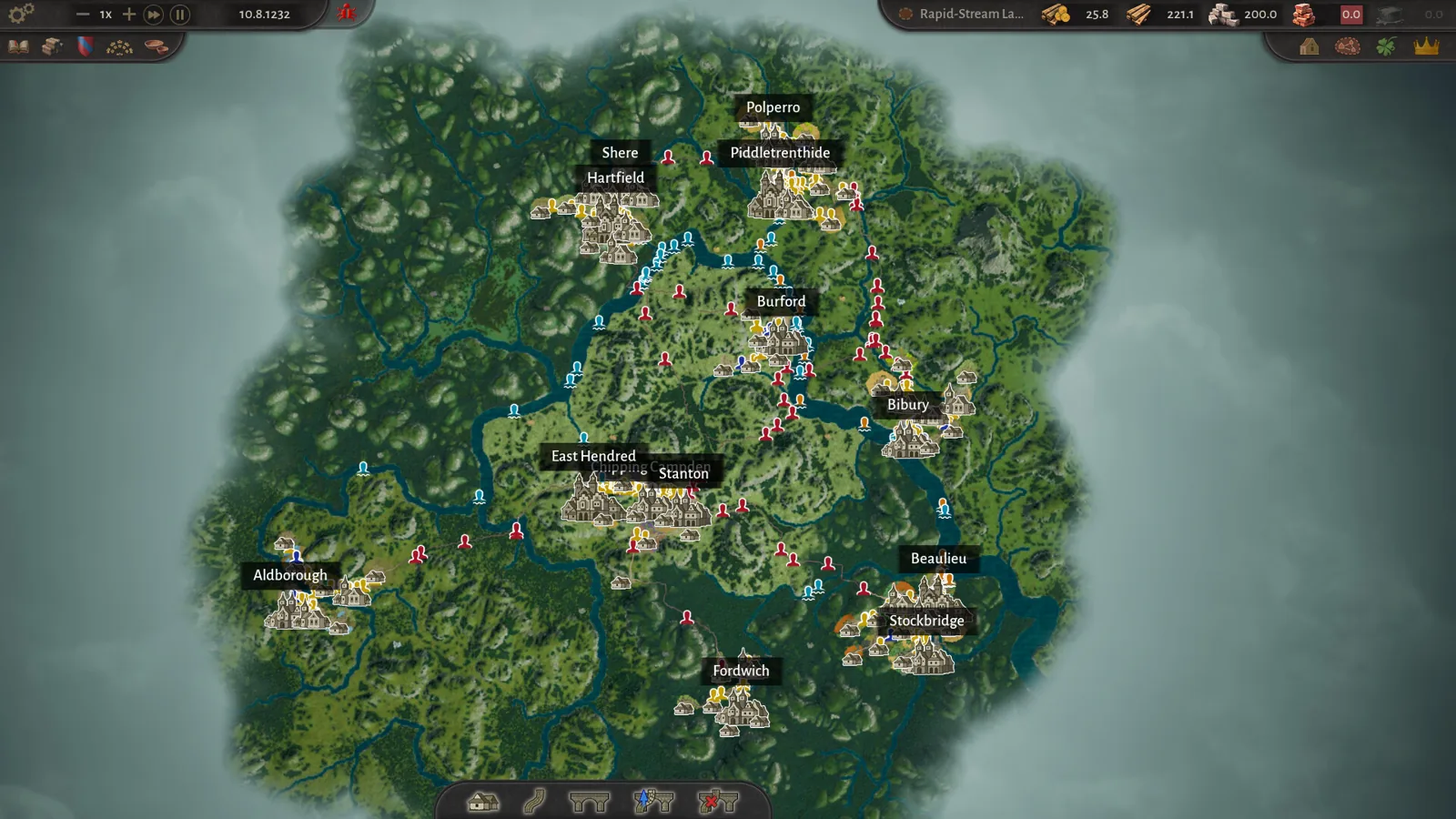
A stronger region still depends on basics the developers list in the official Steam demo FAQ: roads join settlement market squares, products only move once there is enough to send, and heavier goods such as logs, stone, clay and sand need river transport downstream in the demo. Once a settlement reaches level 2, a market or raft port opens inter-region trade routes, which is the supported way to feed a wider county instead of an isolated outpost. If you hit a building-slot wall rather than a true settlement cap, the same FAQ says equipment supply is what unlocks more slots; do not confuse this with culture Renown levels, which only add Traditional Product slots.
FAQ
County of Fortune how to level up region quickly?
Pick one settlement, close every food and equipment need for it alone, then press Level Up. Trying to satisfy several settlements at once usually stalls the economy.
Why is the Level Up button unavailable?
A need is still unmet, or supply exists but is not reaching the settlement. Check road connections, river direction, markets or raft ports, and whether traders have enough stock to move.
Does the demo stop region growth?
The demo caps settlements at level 2 and limits you to one map; the developers say Early Access raises settlement levels to 4 and adds more production buildings and products.
Checked 2026-11-02 against the official Steam page and the Steam community demo FAQ/dev diary posts; the exact term “region level” remains unconfirmed because official material describes settlement levelling.
Related guides for this game
County of Fortune Guides
County of Fortune How to Level Up a Settlement Guide
County of Fortune how to level up a settlement: meet every Food and Equipment need, click Level up in the settlement panel, and know the demo's cap.

County of Fortune Moving Settlements: How It Works
County of Fortune moving settlements explained: yes, you can relocate a founded settlement for free — here's the distance limit and where the feature exists.

County of Fortune Corruption Proposal: How to Counter It
County of Fortune corruption proposal: how it passes automatically in the Assembly, what counters exist, and how to offset a penalty if it already passed.
County of Fortune How Do Mayors Work: Bonuses & Swaps
County of Fortune how do mayors work: learn mayor production bonuses, traits, house politics, and how to hire, swap or educate mayors without penalty.
County of Fortune Mechanics
County of Fortune Multiplayer: Is Co-op Available?
County of Fortune multiplayer status confirmed: the Steam page lists only single-player, so here is exactly what that means for co-op and shared counties.
County of Fortune Platforms
County of Fortune mac support: Steam platforms listed
County of Fortune mac support is not listed on Steam as of 2026-11-02: the page shows Windows and SteamOS + Linux only, with no macOS install announced.