
County of Fortune Trade Routes: Land and River Setup Guide
Quick answer
Creating a trade route between regions in County of Fortune takes four moves: get a settlement to level two in each region, place a small market or raft port there, tie the regions together with a road or the same navigable river, and then hit T to open the trade screen and add the route. The official demo FAQs on the County of Fortune Steam Community hub describe trading in exactly these terms for the demo build.
| Trade screen shortcut | T, or the open trade button in the top-left cornerCounty of Fortune Demo FAQs (Steam Community) |
|---|---|
| Road tool shortcut | V; roads must reach the yellow central market squareCounty of Fortune Demo FAQs (Steam Community) |
| Heavy goods by road | Logs, stone, clay and sand cannot be traded between regions by road; river onlyCounty of Fortune Demo FAQs (Steam Community) |
| Raft direction in the demo | Downstream only; Early Access ports and sailboats move goods both waysCounty of Fortune on Steam |
County of Fortune trade routes explained: level up settlements, build markets and raft ports, connect roads and rivers, and move goods between regions.
Table of Contents
Creating a trade route between regions in County of Fortune takes four moves: get a settlement to level two in each region, place a small market or raft port there, tie the regions together with a road or the same navigable river, and then hit T to open the trade screen and add the route. The official demo FAQs on the County of Fortune Steam Community hub describe trading in exactly these terms for the demo build.
Two transport modes cover everything. Land trade pairs a small market in each region with a connecting road and handles light goods. River trade relies on raft ports on a navigable river and is the only channel for moving heavy goods across regional borders. Wagons, carts, and river vessels carry goods across the county on their own, so once a route exists you never escort the shipments yourself.
Prerequisites before you can trade
- A level-two settlement in every region you plan to link. Level up by fulfilling all food and equipment consumption needs, then click the Level Up button on the settlement screen. In the demo, level two is the cap.
- A trade building. After levelling up, open the settlement's Buildings tab, select the green Commoner icon, and use the plus sign in the first slot to place a small market or a raft port. A raft port needs a navigable river.
- A connection. Either a road between the regions or raft ports on the same river.
- Surplus production. A route cannot move goods that do not exist. Check that the sending settlement actually produces more than it consumes.
Setting up a land trade route
Build the road
Select Build a road on the bottom tab or press V. Connect the two settlements, making sure the road reaches the yellow central market square of each one, not just the settlement edge. Red road sections cannot be built.
Bridge any water first
If the road must cross water, use the bridge tool before drawing the road. Bridge placement fails when the span is too long for the bridge type; demo update 0.1.10 increased the maximum bridge length.
Place the markets
The sending region needs a small market. If the receiving region has no raft port to receive goods, give it a small market too.
Create the route
Press T (or click the open trade button in the top-left corner), select the goods, click to add a trade route, and pick the origin and destination regions.
Set the volume
New routes default to auto-trade, which adjusts the shipped amount to each region's demand. You can instead fix how much of the item traders carry per year.
Setting up a river route with raft ports
Rivers act as the county's heavy freight network. Logs, stone, clay, and sand are the four goods that roads simply cannot haul between regions — the river is the only option, and in the demo rafts drift downstream only. Before building, check the flow direction: click Build a settlement and zoom in on the river to see which way the current runs. Put the producing settlement upstream and the receiving one downstream on the same navigable river.
River-to-river trade requires a raft port at each end. A raft port can also accept goods arriving over land, provided the sending region has a small market — handy for delivering light goods to a riverside settlement.
Reading the trade screen
Players report the interface as a product list on the left with the regions shown on the map, where every region displays what it ships out and what it takes in. Use the category filter to find food, construction goods, or luxuries. The route list shows each route's volume, status, and destination.
This view doubles as a diagnostic tool, per player reports: a region importing a good you thought it produced points to a failing local production chain, while zero exports despite a full warehouse points to a broken route or transport leg.
A player run-through of the demo, "Trade Routes Established" on YouTube, shows this working in practice: the player builds a raft port in each of two regions, opens trade, sets a stone route with auto-trade, and confirms stone arriving in the receiving region once the port finishes construction — and later hits a "no suitable trade route connections" error when trying to link two regions with no valid road or river path between them.
When a route shows no goods
- Is the origin settlement producing more than it uses? Raise output or cut local consumption.
- Is there a small market in the sending region? Place one in a level-two settlement.
- Does the road touch the yellow central market square? Redraw the last segment.
- Where the road crosses water, does a bridge exist? Lay the bridge first, then the road.
- For river goods, is the origin upstream of the destination? The demo sends rafts one way only.
- Is the raft port built and finished? Routes stay idle while the port is under construction.
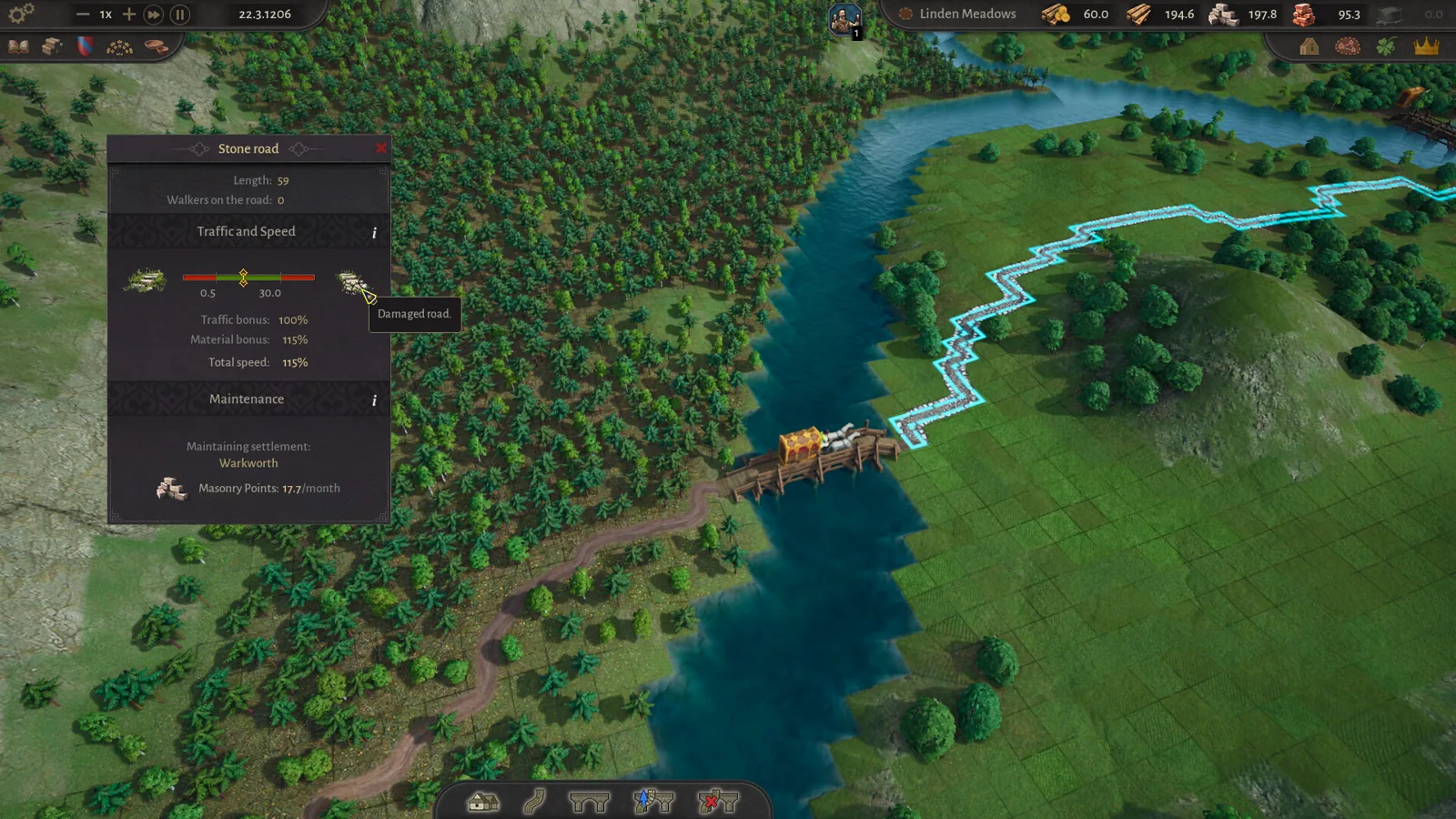
- Is the road damaged or overloaded? Upgraded stone roads carry more traffic faster; you will be notified when capacity runs short.
- Are you trying to haul logs, stone, clay, or sand by road? Switch that good to the river.
Start with one critical good per route, confirm it moves, then add the next. Routes default to auto-trade; set a fixed annual volume only when you need a set supply amount.
Next steps
- County of Fortune production chains — trade routes only move what your settlements produce, so healthy chains come first.
- County of Fortune construction points — carpentry and masonry points maintain the roads your routes depend on.
- County of Fortune mayors — mayor bonuses shape which settlements produce the surpluses you ship.
FAQ
How do I set County of Fortune trade routes between regions?
Four moves: raise a settlement to level two in each region, add a small market or raft port there, join the regions with a road or the same navigable river, then press T, pick your goods, click add trade route, and choose origin and destination. Fresh routes begin in auto-trade mode.
Why won't stone travel by road in County of Fortune?
Stone is classed as a heavy good. Roads between regions can only handle lighter cargo, so the four heavies — stone, logs, clay, sand — must go by water. Build a raft port upstream of the receiving region and float them down.
My rafts refuse to go upstream. What gives?
In the demo build, rafts only ride the current downstream. The Early Access release introduces ports with sailboats that move cargo in either direction, so until then, keep your producing region above the receiving one on the river.
My trade route exists but nothing is moving. Why?
Work through production before transport: a settlement consuming everything it makes has nothing to export. Then check that the road touches the market square, that the port is finished and pointed the right way, and that the destination actually has a market or port to receive goods.
Page checked on 2026-11-02 against the official County of Fortune Steam page and the official demo FAQs on the Steam Community hub, with the YouTube demo playthrough as first-hand player material. Bridge placement at forks, stone-bridge span limits beyond the 0.1.10 changelog note, and exact maintenance costs are community-reported and not officially confirmed.
Related guides for this game
County of Fortune Guides
County of Fortune How to Trade: Trade Routes Guide
County of Fortune how to trade: learn how to trade between regions by getting level 2 settlements, placing a small market or raft port, and linking roads.
County of Fortune Alburn iron mine and Foundry Guide
Build a County of Fortune Alburn iron mine, link roads, appoint a mayor, and ship ore into a level 2 foundry to smelt metal bars for downstream workshops.
County of Fortune Assembly Votes and Privileges Guide
Learn how the County of Fortune assembly works, from house proposals and steward votes to regional privilege effects, corruption risks and eligibility.
County of Fortune chestnut oil mayor and chain guide
County of Fortune chestnut oil mayor picks and the chain: grow chestnuts, press oil in a level 3 town, then serve beef on chestnut oil to your Artisans.
County of Fortune Release Details
County of Fortune roadmap: Early Access timing and price
County of Fortune roadmap answers when Early Access starts, how long it may run, when full release could land, and if the price may rise after 1.0 launch.
County of Fortune Gameplay & Media
County of Fortune gameplay: County Building Loop Guide
See how County of Fortune gameplay works: found settlements on resources, assign mayors, connect by road, set recipes, level up, and unlock new regions.